
Wastage shows the spend you could save by cleaning up resources you aren't using: idle and underutilized instances, databases and load balancers, unattached volumes and IP addresses, old snapshots and so on.
The findings come from Hyperglance's cost rules. Each rule looks for one kind of waste, such as "Idle EC2 Instances" or "Detached Managed Disks", and runs on a schedule. Wastage shows the cost rules for the platforms you've connected. See the full list of cost wastage rules.
Potential savings
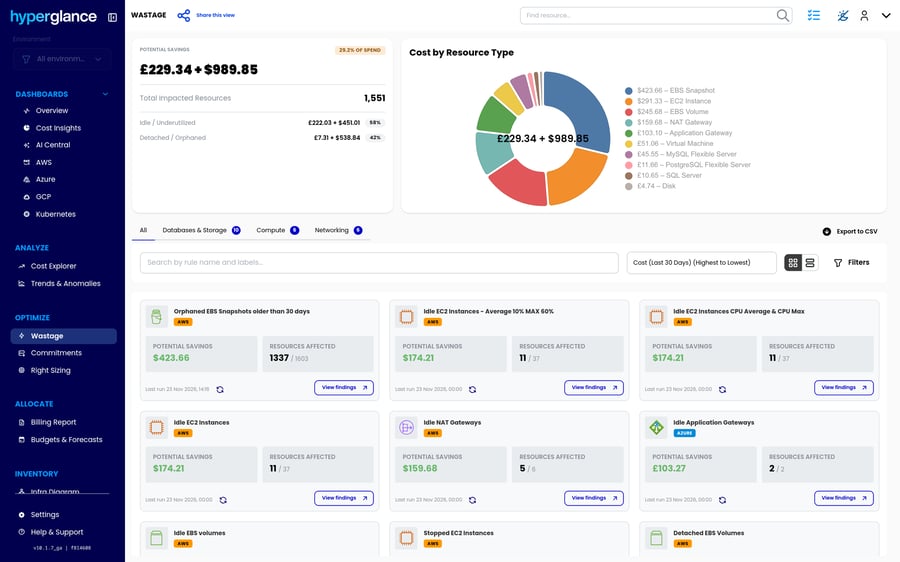
The top of the page sums up what the rules found:
- Potential Savings: the cost of the resources the rules found, over the last 30 days, and what share of your total spend that is. If your spend is in more than one currency, each currency is shown.
- Total Impacted Resources, and the savings split between Idle / Underutilized resources and Detached / Orphaned ones.
- Cost by Resource Type: which kinds of resource the savings come from.
Savings come from your billing data, so they need cost collection set up for the accounts involved. A rule whose resources have no cost data shows $___.__ instead.
The rules
Each card is a cost rule:
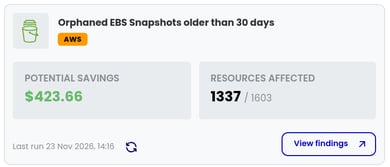
- Potential Savings: the last 30 days' cost of the resources it found.
- Resources Affected: how many resources it found, out of how many it checked.
- Last run: when the rule last ran. Click the refresh icon to run it now.
- View findings opens the rule, with the resources it found, their cost, and options to export them, show them in a diagram, add exceptions or set up automations to clean them up.
To narrow the list:
The tabs split the rules by area: Databases & Storage, Compute and Networking.
Search by rule name or label, and sort by name, cost, resources found, last run, how often the rule runs, or priority.
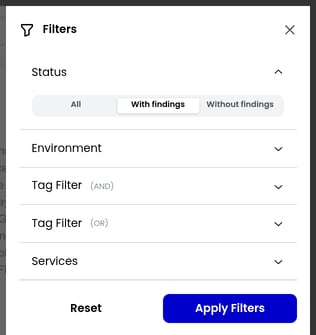
Filters show rules with or without findings (with findings, to start with), or limit them by environment, tags or service.
Export to CSV downloads the list.
Tip
To be told when a rule finds something, or to clean up what it finds automatically, set up the rule's notifications or automations. See Rules: A complete guide.